01 / 18
reboot.
UX / UI Case Study · Mobile App
Reboot

Pinterest for Gamers

One place to save outfits, builds, clips, and step-by-step guides, instead of five apps and a camera roll full of screenshots.

Role
UX / UI Designer
Platform
iOS Mobile
Tools
Figma
Personal Interest
  • Always hunting Pinterest for outfit ideas from armor sets and Minecraft build inspo.
  • Get stuck in story games (Zelda: Majora's Mask) with no simple step-by-step help.
  • Wanted one place for inspiration, builds, and guides instead of five browser tabs.
How Might We

Help gamers quickly find creative inspiration and help guides in one place, without getting stuck or jumping between platforms?

The Big Idea

Pinterest & TikTok, built for gamers.

Visual

Fast, scrollable discovery for outfits, builds, and clips.

Organized

Boards and sub-boards keep every idea sorted and findable.

Guided

Step-by-step help so no one leaves the app to get unstuck.

Topic Research & Competitors
Sources & Influences
Gen Z & Visual Discovery · Article

TikTok/Pinterest research: visual browsing is now central to how people find things.

Designing Interfaces · Book, Tidwell et al.

UI patterns for scrollable, intuitive discovery apps.

Ben Silbermann · Influence, not a source

Pinterest's co-founder built the visual-discovery model Reboot borrows from.

Competitors
Competitor

HallOfFramed

Striking gameplay images treated like digital art, but no organization tools.

VS
Competitor

Pinterest

Great for curated boards, but not built for gamers specifically.

Focus Group Findings
Participants
Xally
Kathy
Isabella

March 2026

How many of the 3 participants raised each issue
Confused where to start / Explore not visible
3 / 3
Tight spacing felt visually overwhelming
2 / 3
Wanted clearer step-by-step guidance
3 / 3

Across the session and published app reviews: gamers juggle Pinterest, TikTok, and screenshots but lose track of ideas. They want quick visual discovery in one app.

Personas

Click a name to see that persona.

SUBJECT_01
Ava Martinez

Ava Martinez

20 · Creative Builder · PS5

A design student who builds elaborate Minecraft worlds for class projects and wants her group's inspiration in one shared place instead of scattered screenshots.

Goals
  • One place for Minecraft screenshots & builds
  • Share and collaborate with classmates
Pain Points
  • Screenshots scattered across devices
  • No collaboration tools for inspiration
Quote

"I need one place to keep all my game ideas so I can find them easily."

SUBJECT_02
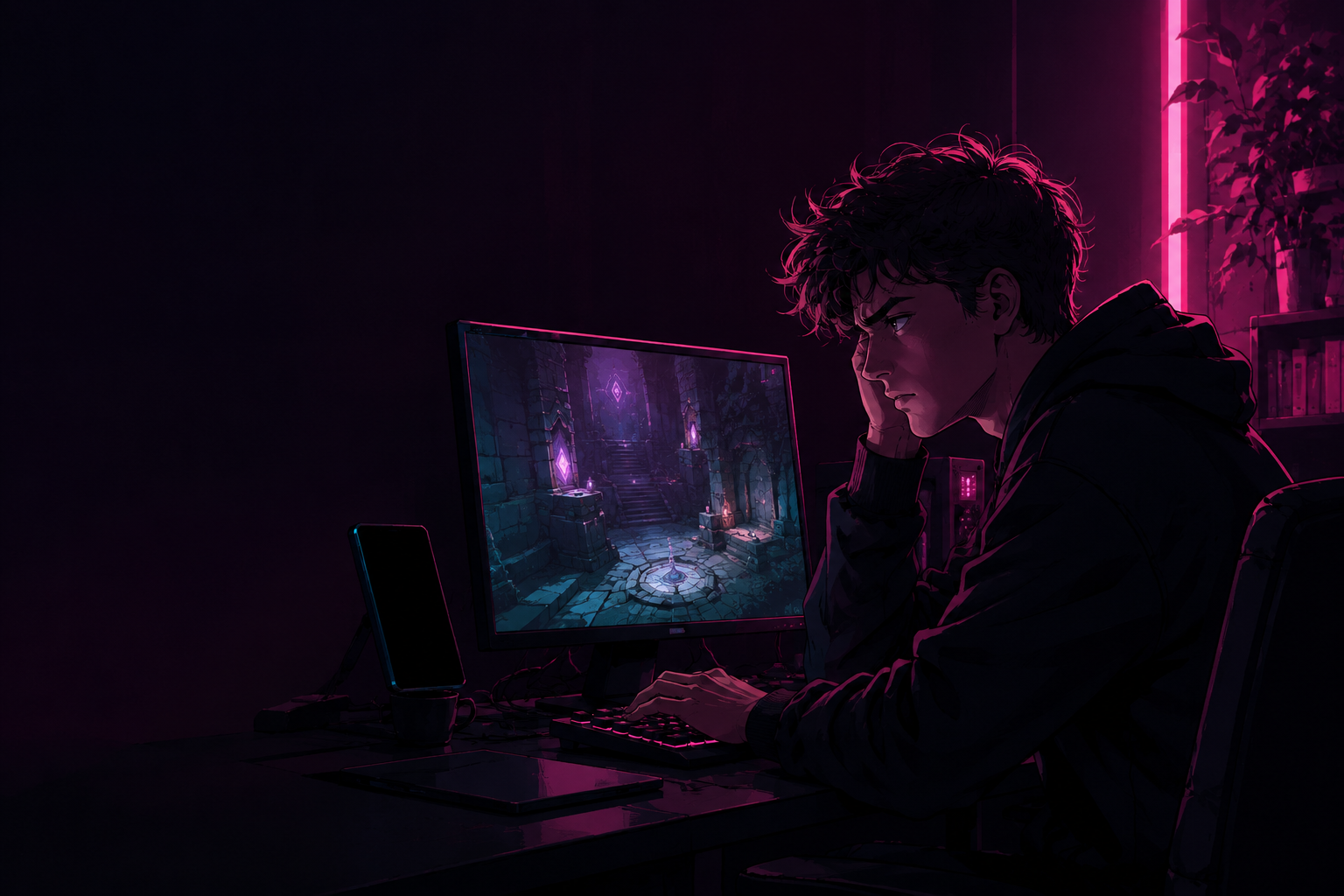
Ethan Parker

Ethan Parker

19 · Adventure Enthusiast · PC

Picked up Majora's Mask again after years away and keeps hitting puzzles he barely remembers, without wanting to hunt through five different forums for help.

Goals
  • Step-by-step guide with pictures
  • Replay childhood Zelda games confidently
Pain Points
  • Gets stuck on puzzles/bosses he barely remembers
  • No clear guidance without leaving the game
Quote

"I just want to know where to go next without hunting five forums."

SUBJECT_03

Lily Kim

Lily Kim

22 · Aesthetic Lover · 3DS

Collects Nintendo 3DS themes that match her exact aesthetic, and once she finds one she loves, she wants a fast way to find ten more just like it.

Goals
  • Find themes/games matching her aesthetic
  • Discover more like what she already loves
Pain Points
  • Hard to find a matching Nintendo theme
  • Hard to find more once she finds one
Quote

"When I find a theme I love, I want ten more just like it."

Ava's Story
01

Teacher says the class can use Minecraft for their design project.

02

Screenshots pile up across PS5, phone, and computer.

03

She opens Reboot, an inspiration app made for gamers.

04

Organizes builds into boards: Buildings, Outfits, Maps.

05

Finds new inspiration and shares her board with the group.

06

The group builds together, referencing one shared board.

Moodboard

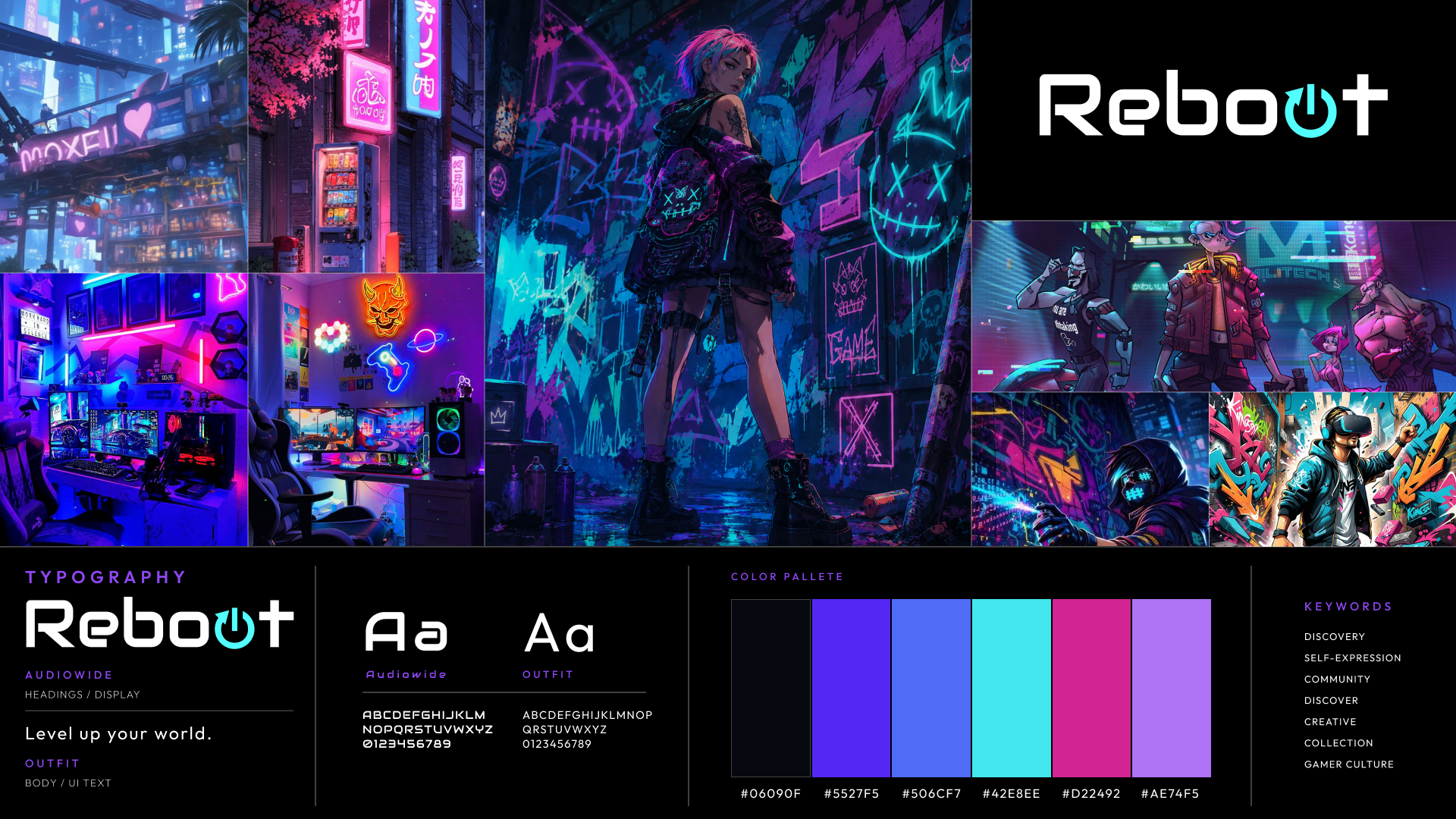
Neon arcade, cyberpunk edge

REF_BOARD.EXE
Reboot moodboard: cyberpunk gaming references, character art, and typography
Typography
Audiowide · Futura · Outfit
Palette
Task Flow

Click a name to see that task flow.

Task: Ethan is stuck in a game he hasn't played since childhood and needs a clear way forward.

1

Taps Explore, finds the Majora's Mask walkthrough he needs.

2

Opens it and gets a location-by-location step-by-step guide.

3

Follows exact instructions instead of guessing what to do.

4

Clears the puzzle without ever leaving the app.

Why it matters: Ethan has plenty of inspiration. What he lacks is guidance he can trust.

Task: find info to add to a board for her class project, and share it with her group.

1

Opens Boards and sees her categories.

2

Taps Minecraft, arrives at organized sub-boards.

3

Saves new pins into the right sub-board as she finds them.

4

Shares the whole board with her group.

Why it matters: Ava needs one shared, organized space her whole team can reference.

Task: Lily found a theme she loves and wants ten more just like it.

1

Scrolls For You, finds a 3DS theme that matches her aesthetic.

2

Taps it, unlocks a Similar Pins panel.

3

Saves the ones that fit her exact vibe.

4

Builds a personal collection of only what she'd use.

Why it matters: Lily can find one good reference. Finding the next ten is where she stalls.

Focus Group & Results
Focus Group

3 gamers, one room, 1 session. Watched them use the app together and let the conversation happen, not just individual tasks.

Kathy
  • Make Explore easier to see so new users know where to start.
  • Add inspiration and "stuck" categories to guide unsure users.
  • Round the corners for a more consistent, balanced feel.
Xally
  • Reduce heavy borders, improve spacing between images.
  • Add Step 1 / Step 2 guidance so the next action is obvious.
  • Highlight selected boards, add a favorite icon.
  • Move main navigation to the bottom of the screen.
Isabella
  • Make strokes bigger, some areas were hard to see.
  • Use a heart icon on the FYP page instead of a pin icon.
  • Center the title at the top of the screen.
Prototype 01 · Reboot · 2026

Explore, without the noise.

Faster, more visual discovery: mod pack showcases, gameplay highlights, and console tutorials, surfaced the way gamers actually browse.

View Prototype →
Prototype 02 · Reboot · 2026

Boards, actually organized.

Sub-boards for every project, so builds, outfits, and inspiration stay sorted instead of buried in one long scroll.

View Prototype →
Prototype 03 · Reboot · 2026

Never stuck for long.

Step-by-step guides for the puzzles and bosses you barely remember, without ever leaving the app to hunt through forums.

View Prototype →
The Companion Walkthrough

Every interaction, in motion.

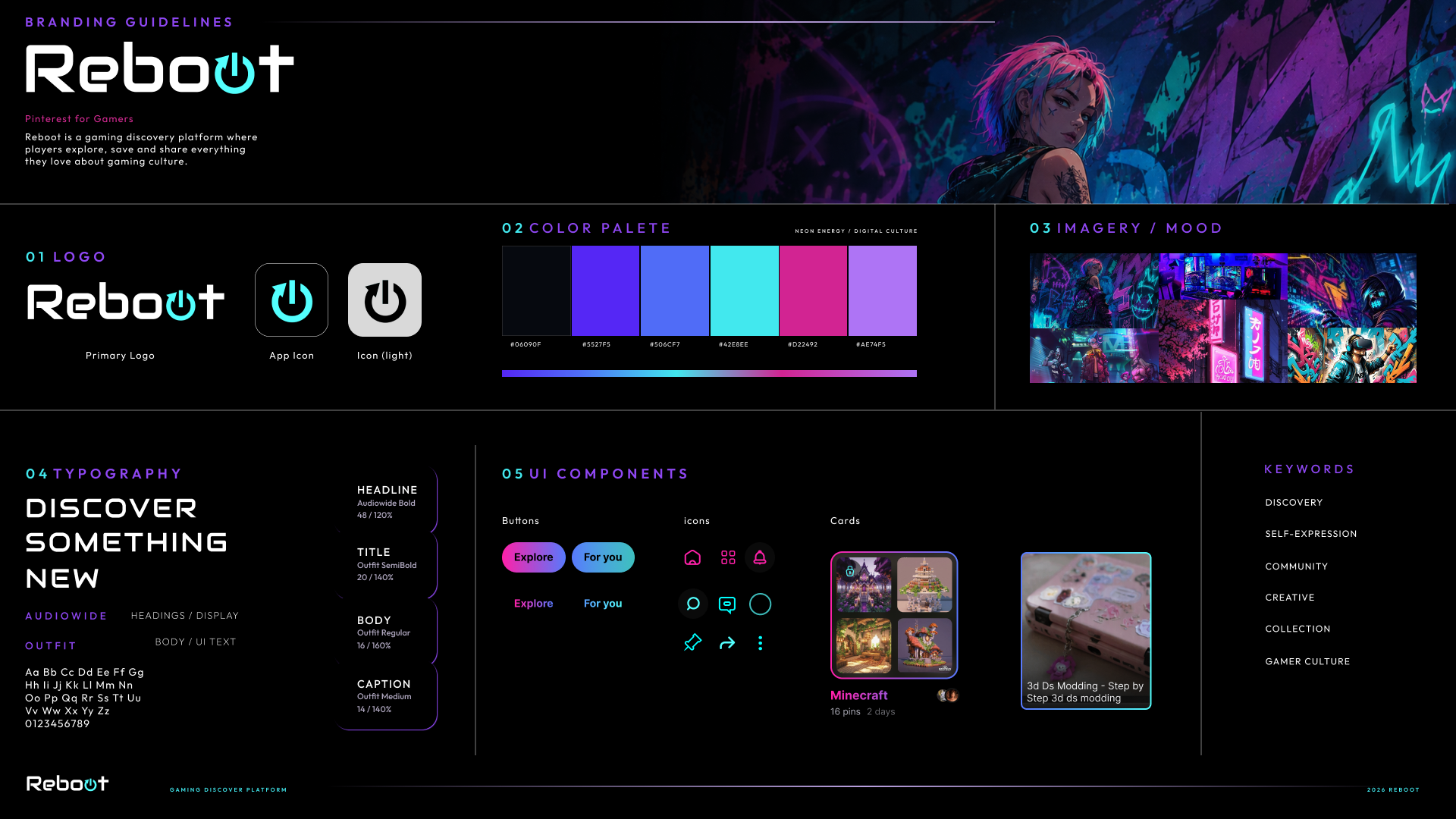
Branding Guidelines
Reboot branding guidelines: UI components, color palette, and logo marks
Conclusions
What I Learned

Balancing visual discovery with usability meant constantly weighing how much inspiration to surface against how easy the app stayed to navigate. Letting real tester feedback, not just my own assumptions, drive decisions like the bottom nav bar and rounded corners made the biggest difference.

What's Next

Personalization is the obvious next step: surfacing build and mod pack recommendations from what someone already saves, alongside what is trending. In-app sharing would let groups collaborate on one board directly, and community features could turn Reboot into a space gamers actually hang out in.

> session_complete_

THANKS FOR
PLAYING

Pinterest for gamers.

designed by Alisa Utesheva  ·  UX & UI